
How to connect a Stripe account to BetterStats using API keys
This tutorial is for users who cannot use the one-click Stripe connection. Some tools, like ThriveCart, already use this integration, which prevents BetterStats from using it.
If that’s your case, here’s what to do:
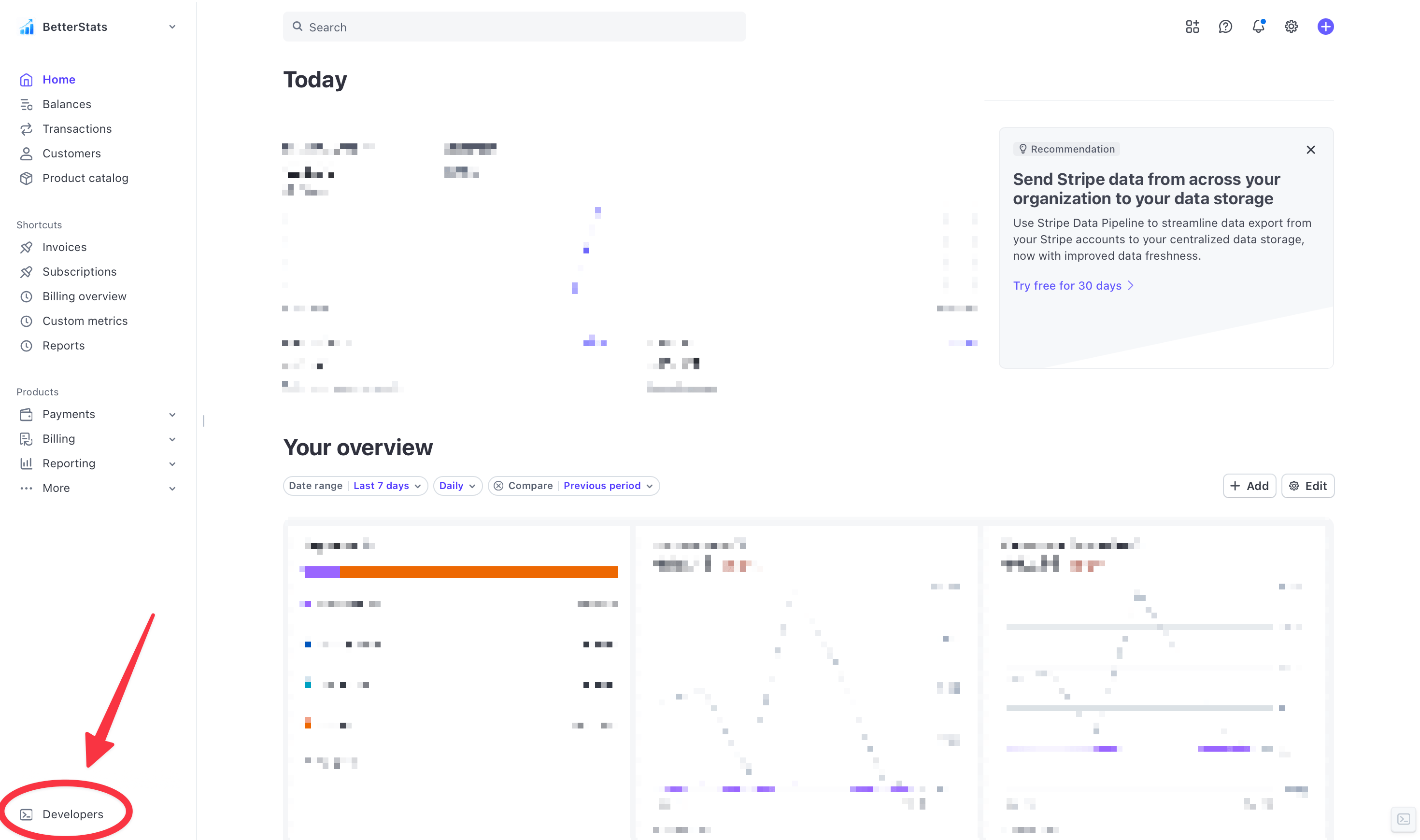
- Log in to your Stripe dashboard
- At the bottom left of your dashboard, click on “Developers”
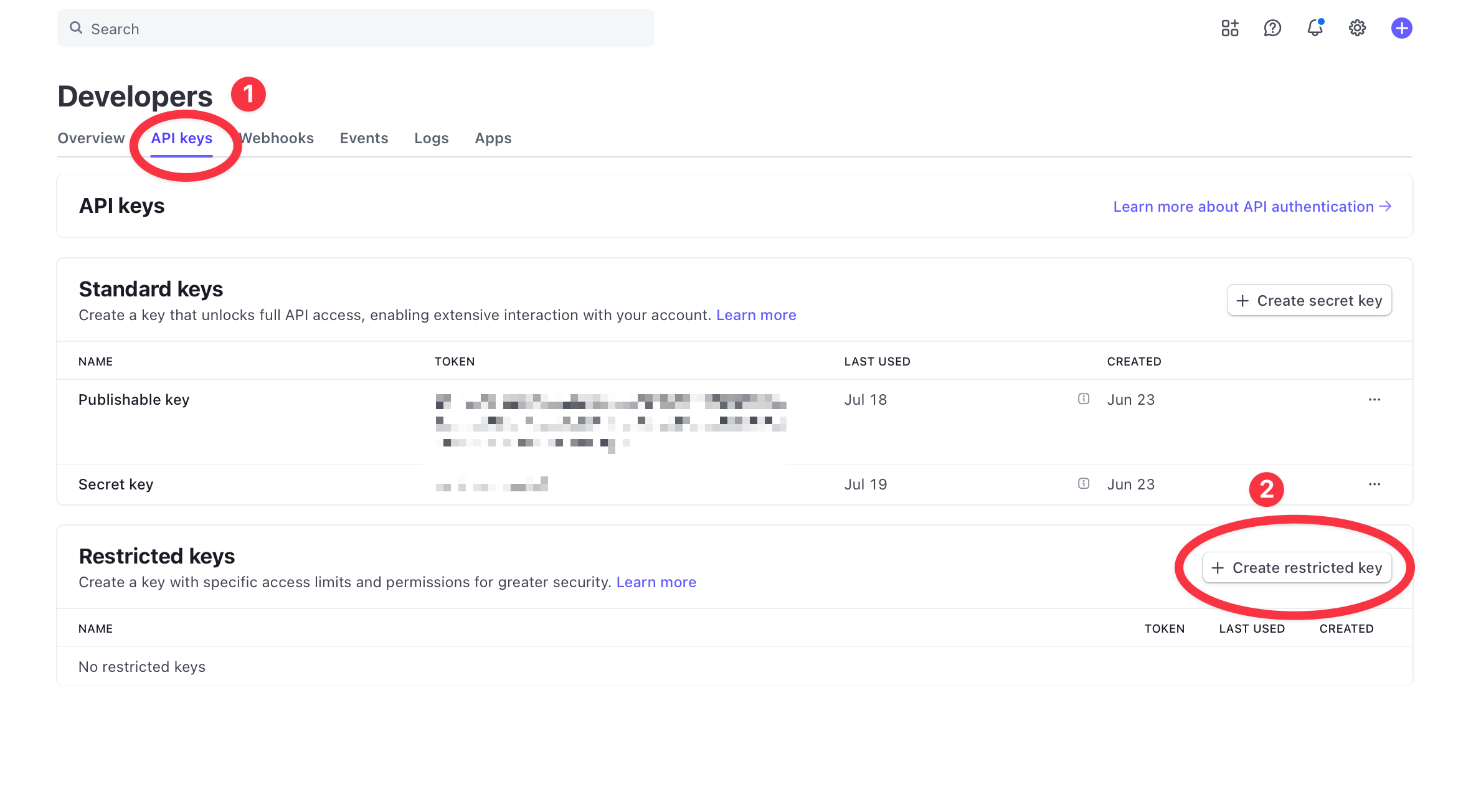
- Click on the “API keys” tab, then select “Create restricted key”
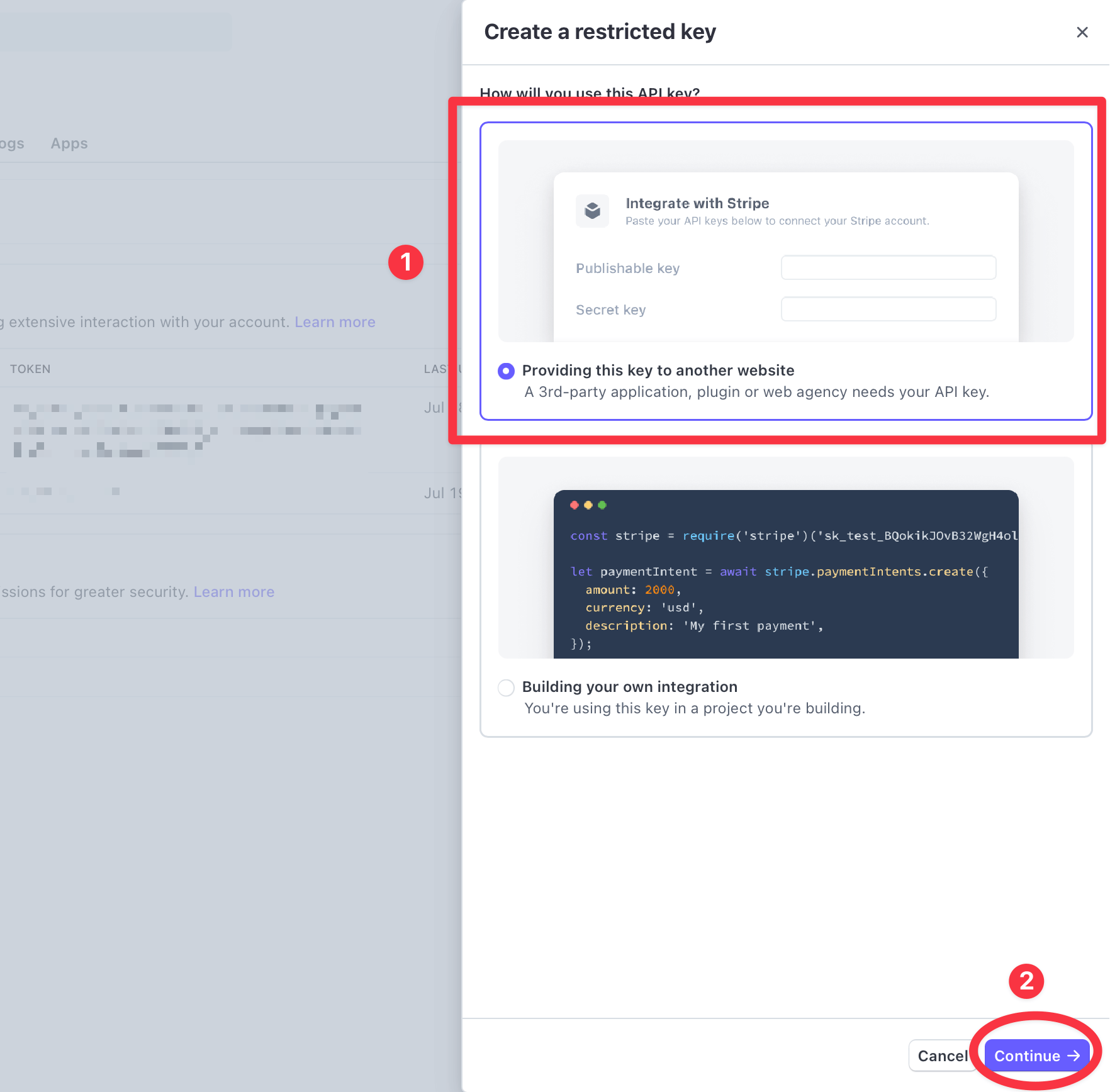
- Select “Providing this key to another website,” then click “Continue”
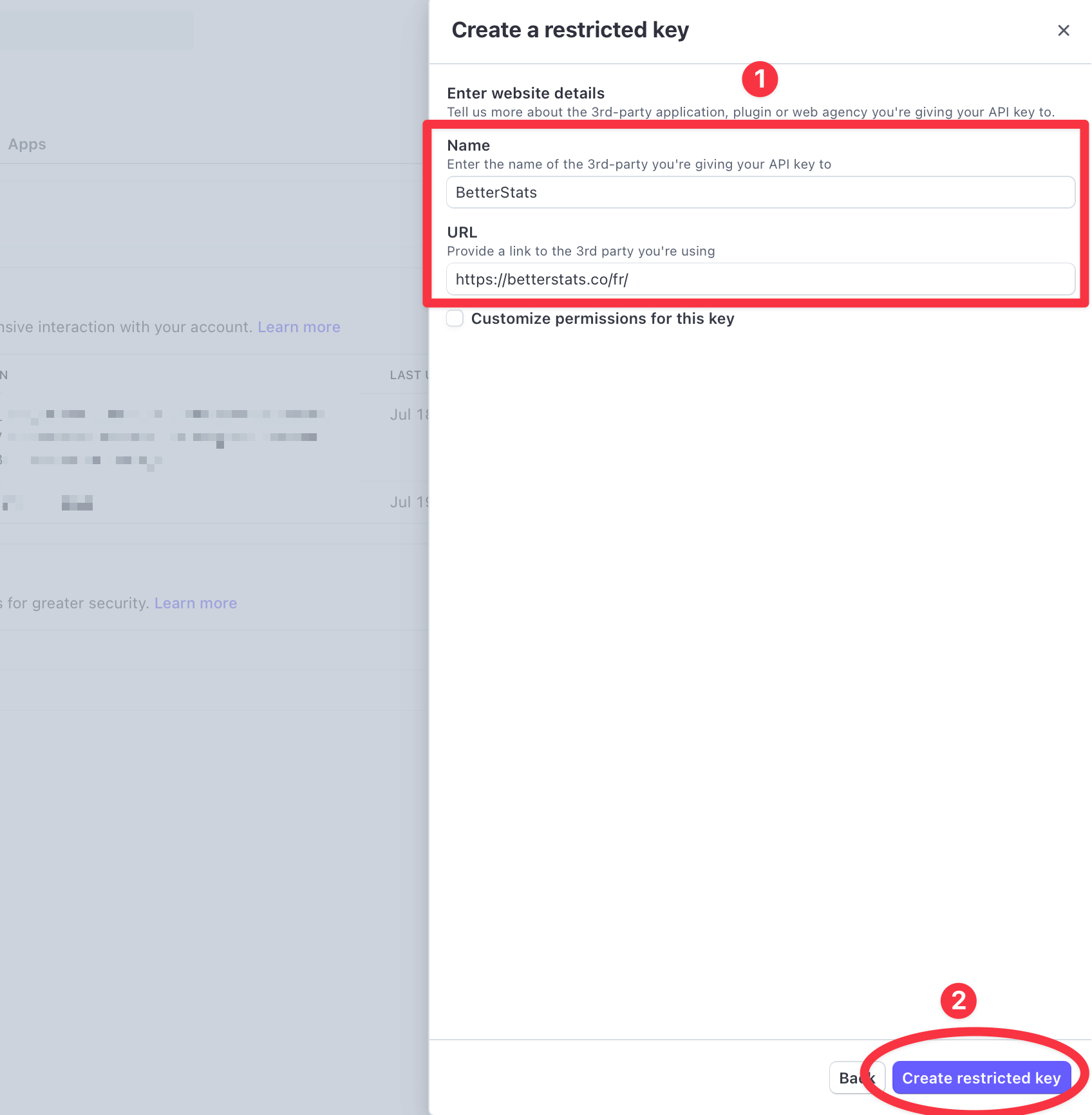
-
Name: BetterStats
URL: https://betterstats.co
Then click on “Create restricted key”
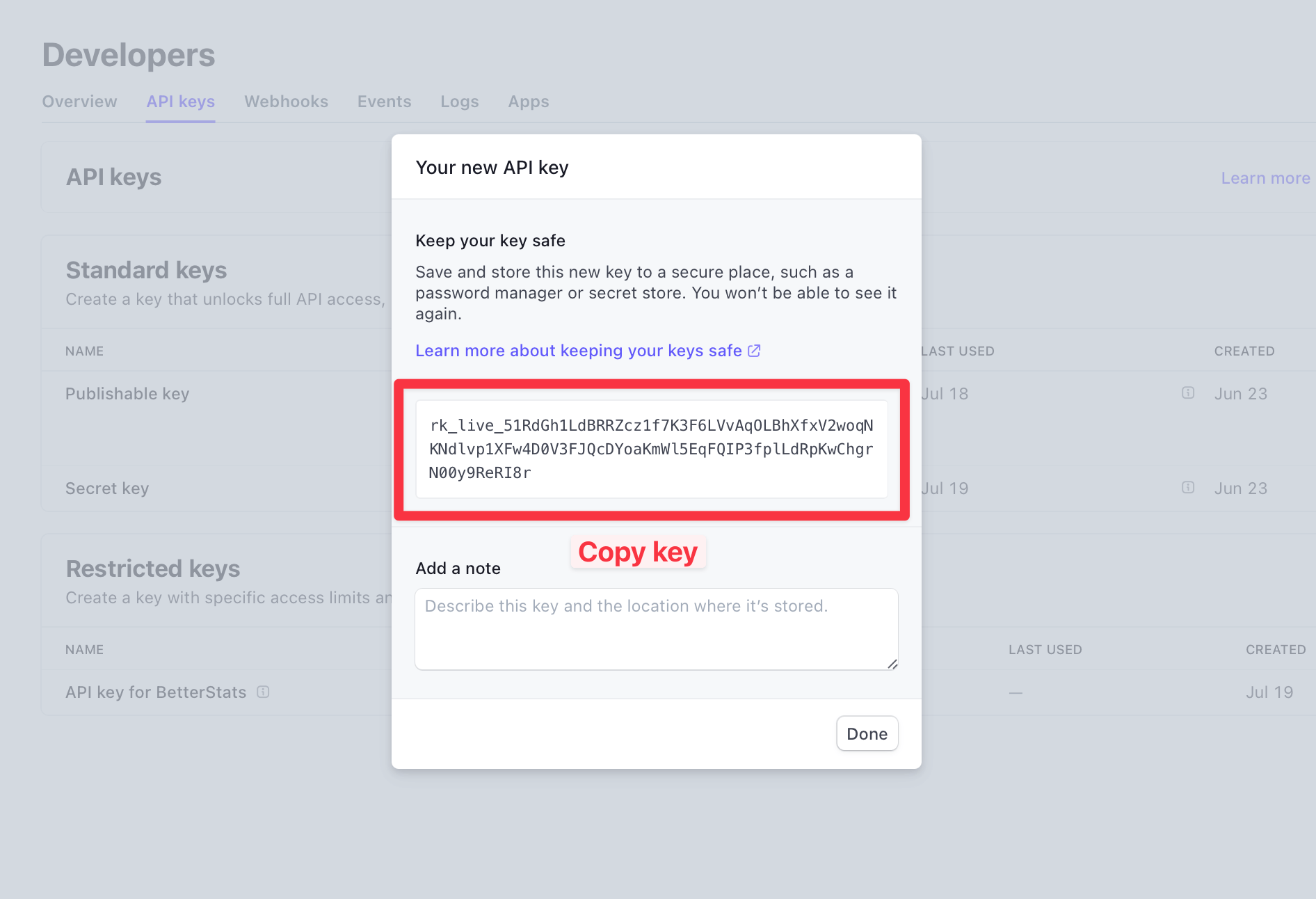
- Copy the key by clicking on it
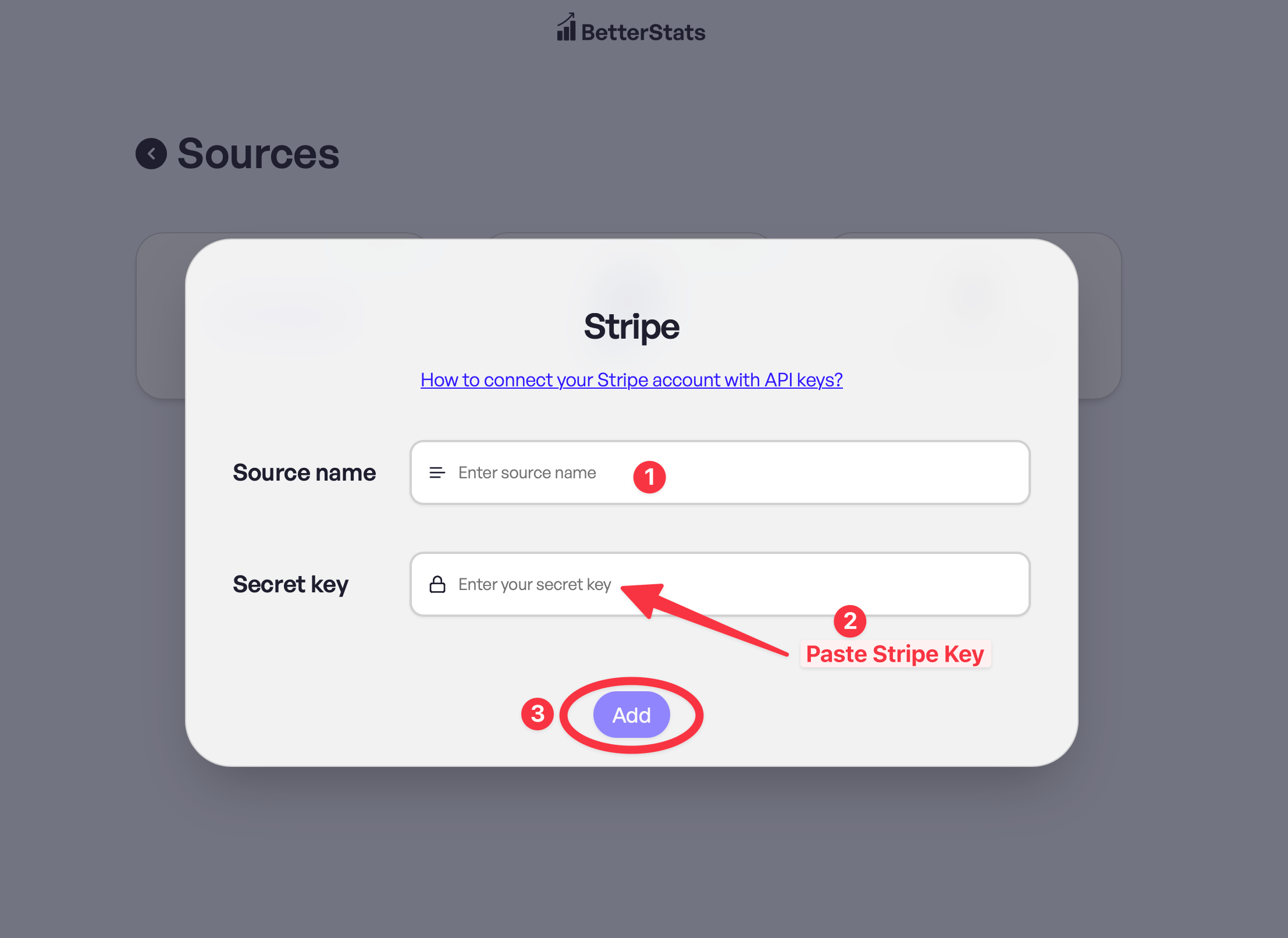
- Go back to BetterStats, enter the name you want to give the source (for example, your business name), paste the key, then click “Add”
And that’s it!
If none of the Stripe integrations work for you, contact support at [email protected].