
How to connect a PayPal account to BetterStats
Here are the steps to connect your PayPal account to BetterStats and synchronize your sales data in real-time.
- Log in to your Pro PayPal account (the one where you make your sales).
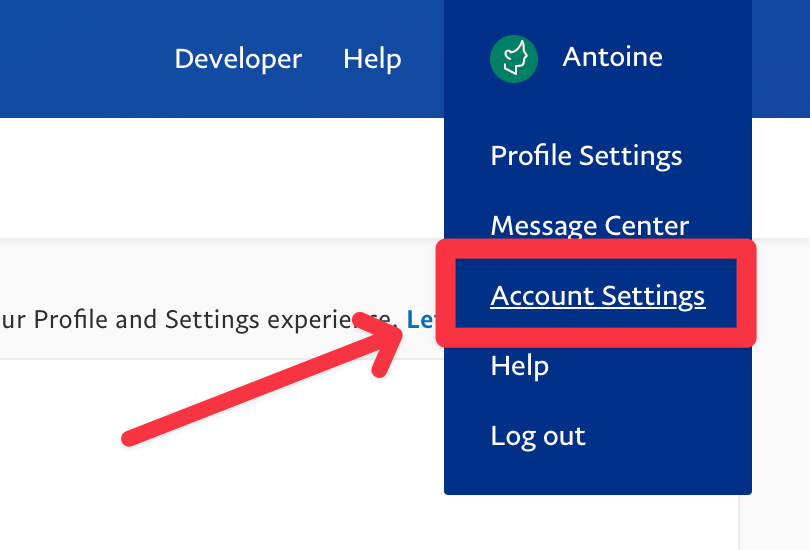
- At the top right, click on your name, then on “Account Settings”.
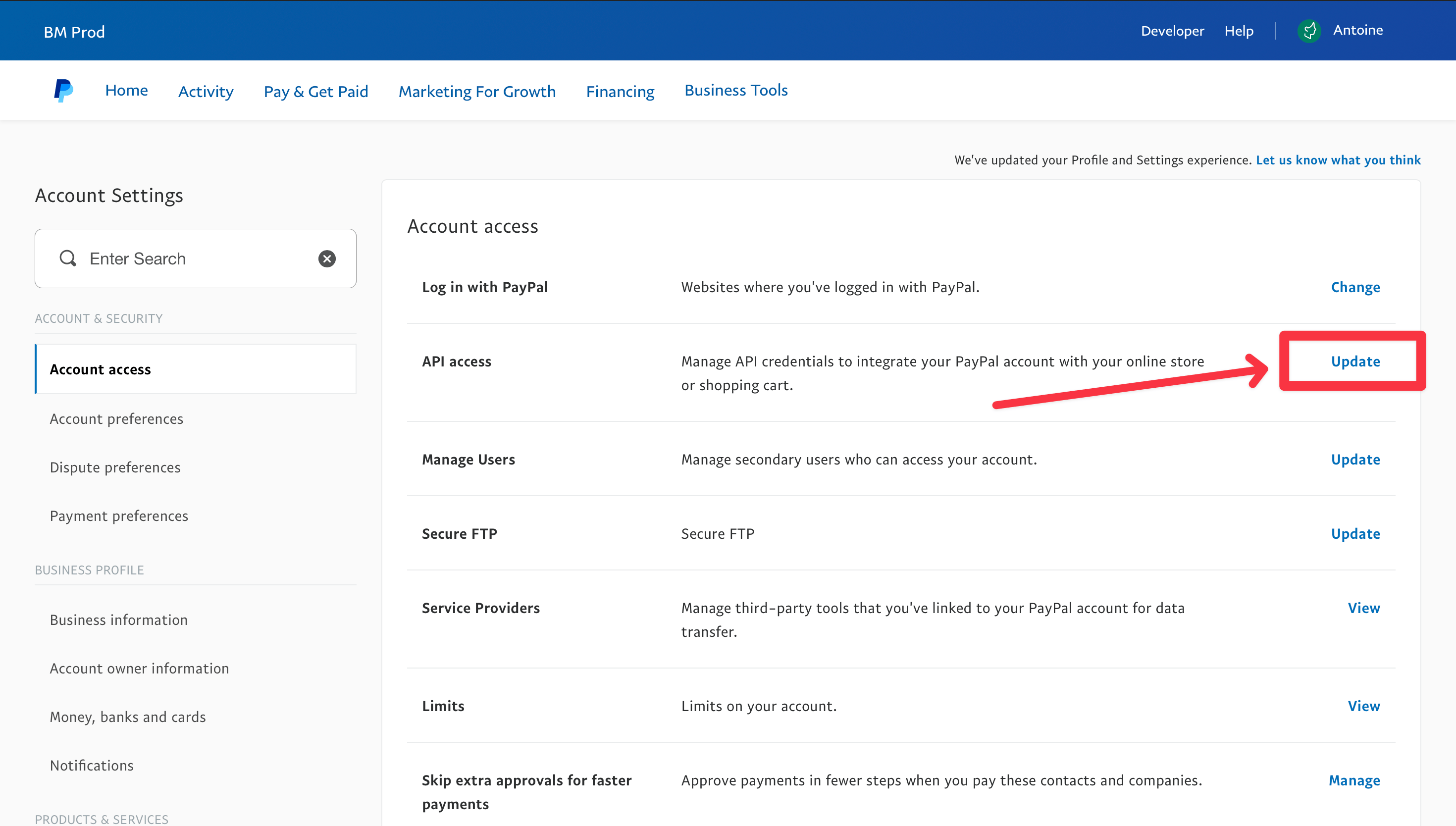
- In “API Access”, click on “Update”.
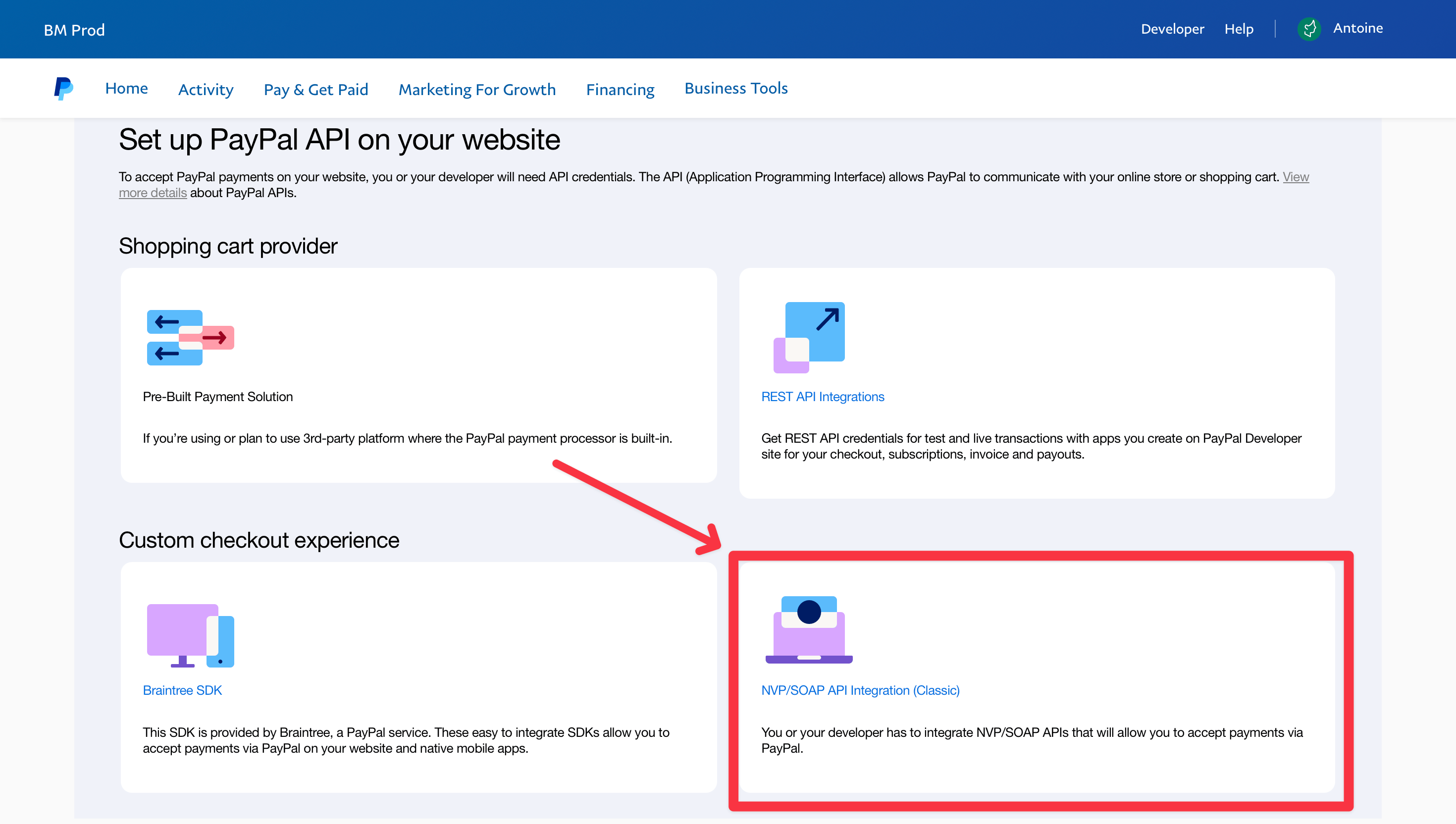
- Click on the box “NVP/SOAP API integration (Classic)”.
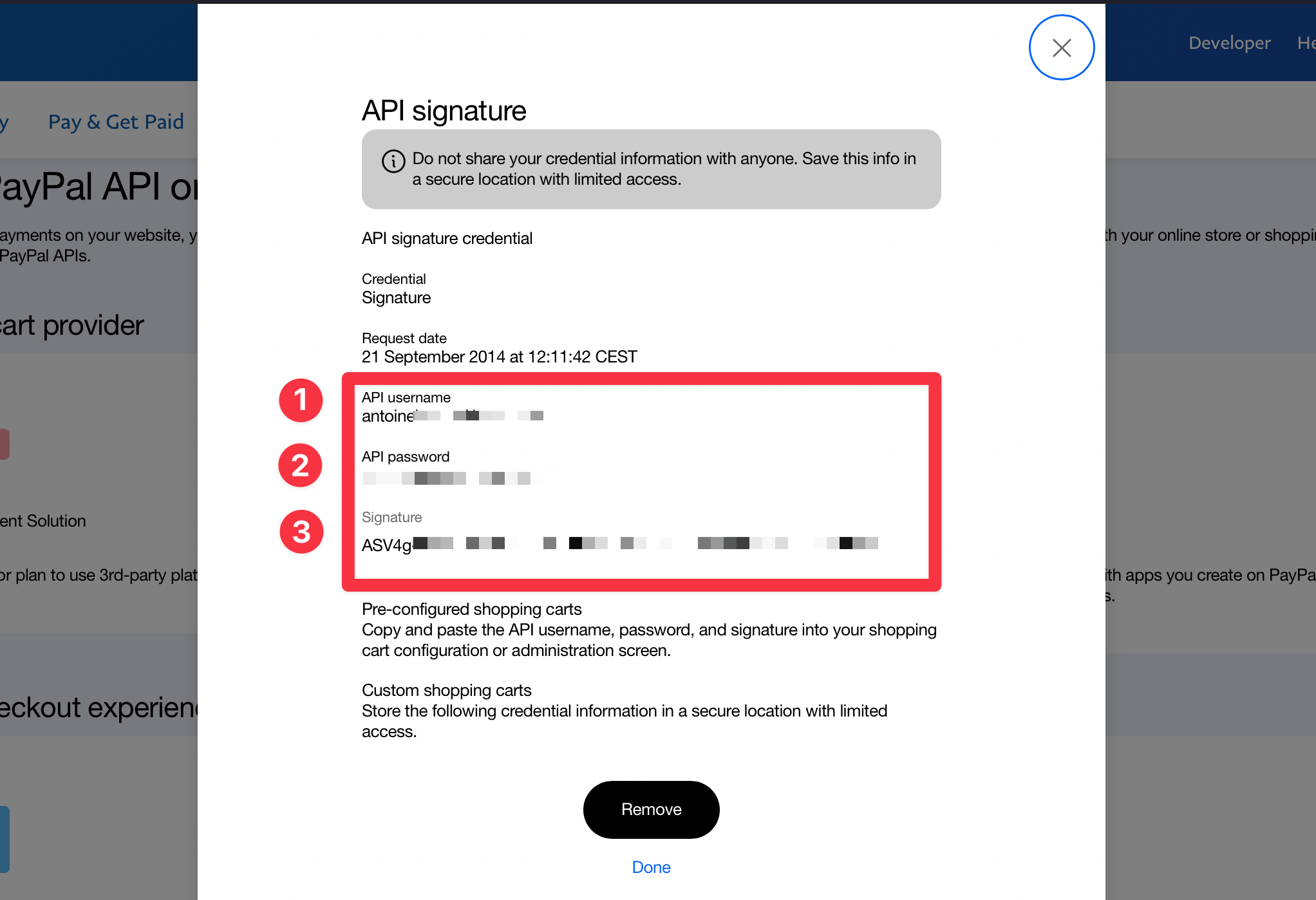
- Copy the API username, API password, and Signature.
- Paste them into the corresponding fields on BetterStats and click on “Add”.
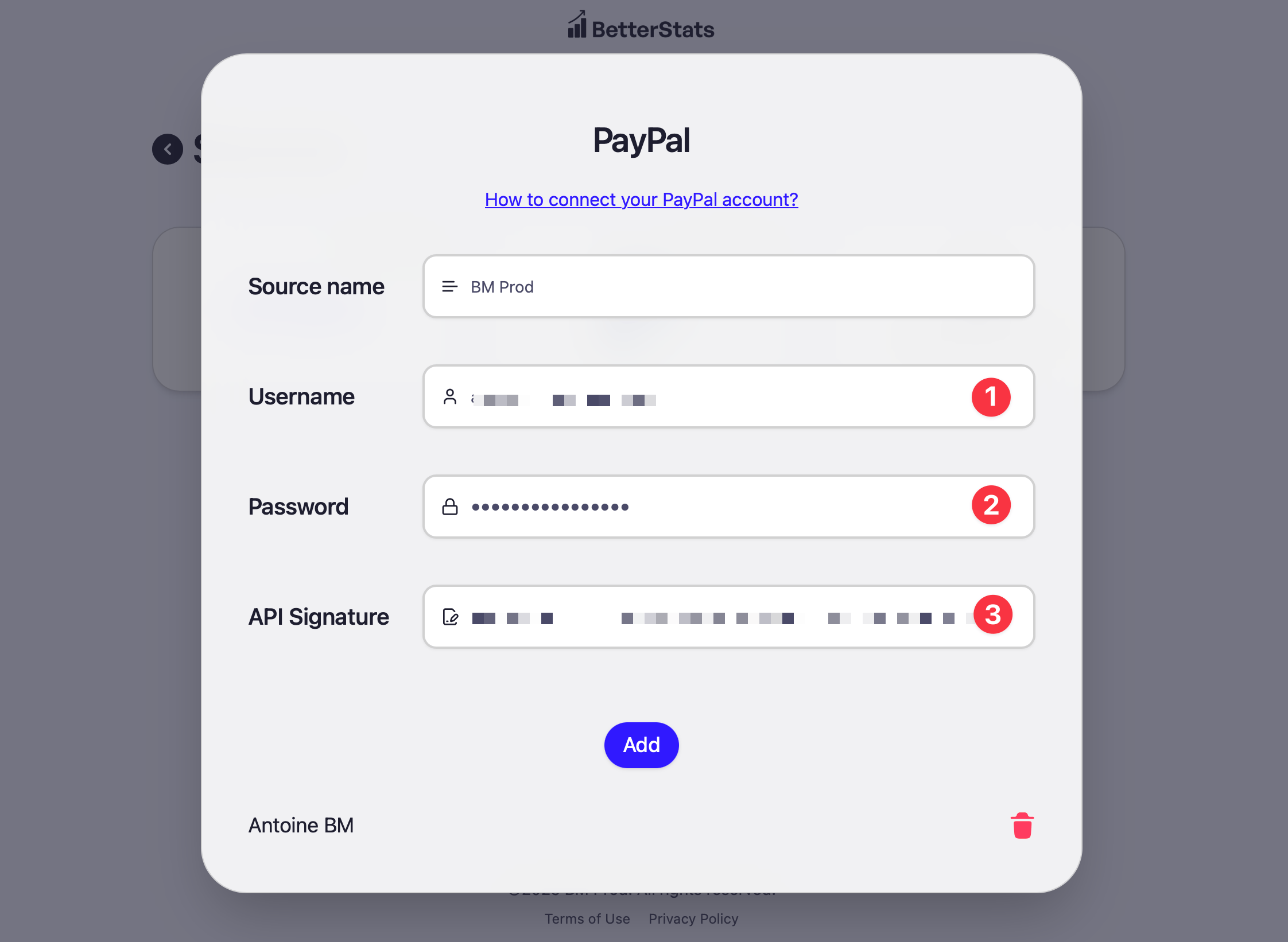
- All set!